Anika Mehta
Founder & Creative Director, PixelBloom Studio
We switched from three different tools to TaskHive, and our productivity has noticeably improved. What I love most is how seamless it feels, whether I’m assigning work to a junior designer or tracking sprint progress.
Daniel Reyes
CTO, CloudCore
As a fast-scaling development team, we needed a solution that could grow with us—and TaskHive has been perfect. From sprint planning to day-to-day bug tracking, it gives us visibility across the team.
Anika Mehta
Founder & Creative Director, PixelBloom Studio
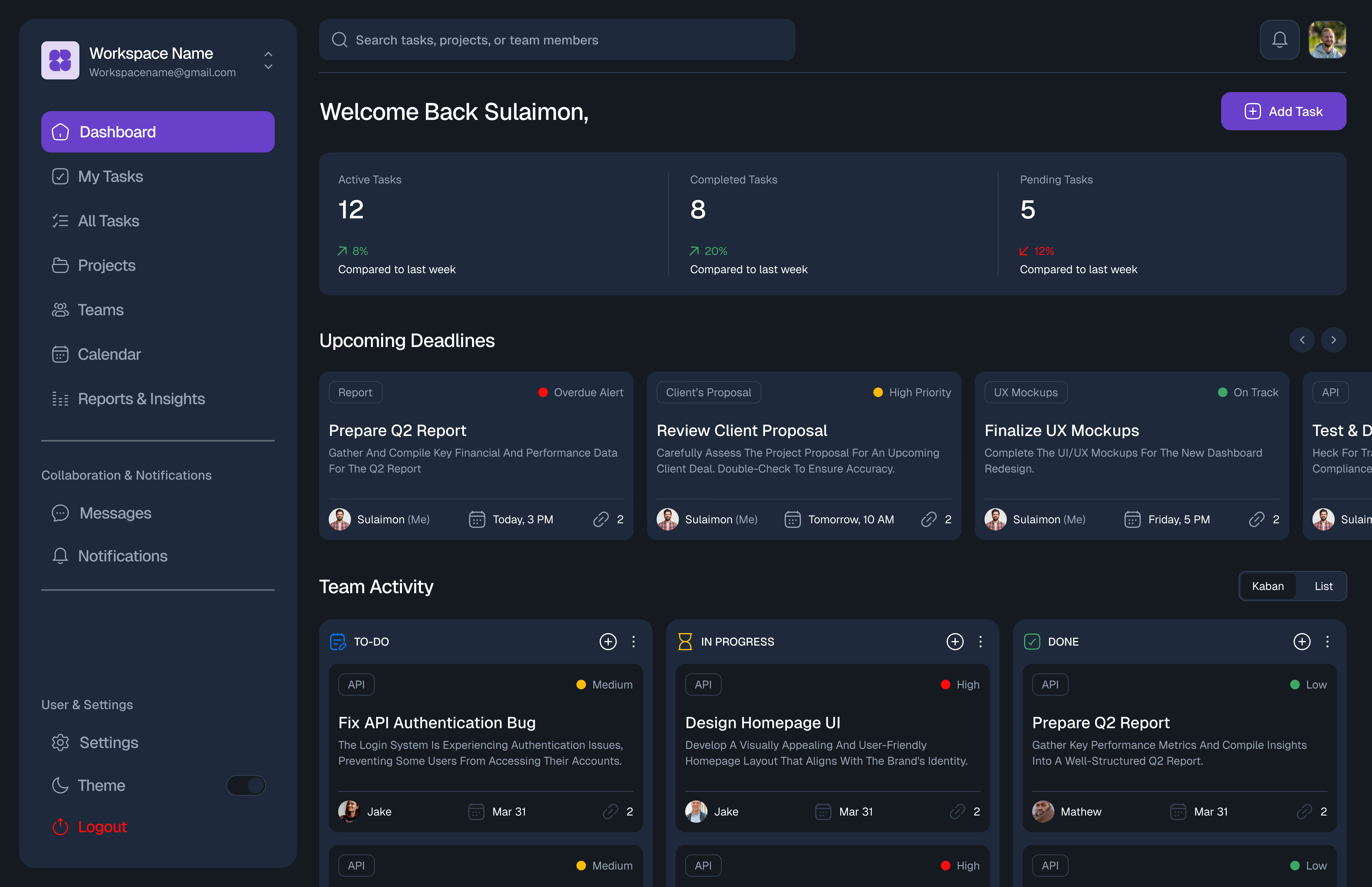
As a creative agency juggling multiple client projects, we needed a task manager. We love the ability to switch between list and board views, and the deadline reminders have been a lifesaver.
Jason Wu
Head of Design, PixelPeak
We switched from three different tools to TaskHive, and our productivity has noticeably improved. What I love most is how seamless it feels, whether I’m assigning work to a junior designer or tracking sprint progress.
We switched from three different tools to TaskHive, and our productivity has noticeably improved. What I love most is how seamless it feels, whether I’m assigning work to a junior designer or tracking sprint progress.
Daniel Reyes
CTO, CloudCore
As a fast-scaling development team, we needed a solution that could grow with us—and TaskHive has been perfect. From sprint planning to day-to-day bug tracking, it gives us visibility across the team.
Anika Mehta
Founder & Creative Director, PixelBloom Studio
As a creative agency juggling multiple client projects, we needed a task manager. We love the ability to switch between list and board views, and the deadline reminders have been a lifesaver.
Jason Wu
Head of Design, PixelPeak

We switched from three different tools to TaskHive, and our productivity has noticeably improved. What I love most is how seamless it feels, whether I’m assigning work to a junior designer or tracking sprint progress.
We switched from three different tools to TaskHive, and our productivity has noticeably improved. What I love most is how seamless it feels, whether I’m assigning work to a junior designer or tracking sprint progress.
Daniel Reyes
CTO, CloudCore
As a fast-scaling development team, we needed a solution that could grow with us—and TaskHive has been perfect. From sprint planning to day-to-day bug tracking, it gives us visibility across the team.
Anika Mehta
Founder & Creative Director, PixelBloom Studio
As a creative agency juggling multiple client projects, we needed a task manager. We love the ability to switch between list and board views, and the deadline reminders have been a lifesaver.
Jason Wu
Head of Design, PixelPeak
We switched from three different tools to TaskHive, and our productivity has noticeably improved. What I love most is how seamless it feels, whether I’m assigning work to a junior designer or tracking sprint progress.
We switched from three different tools to TaskHive, and our productivity has noticeably improved. What I love most is how seamless it feels, whether I’m assigning work to a junior designer or tracking sprint progress.
Daniel Reyes
CTO, CloudCore
As a fast-scaling development team, we needed a solution that could grow with us—and TaskHive has been perfect. From sprint planning to day-to-day bug tracking, it gives us visibility across the team.
Anika Mehta
Founder & Creative Director, PixelBloom Studio
As a creative agency juggling multiple client projects, we needed a task manager. We love the ability to switch between list and board views, and the deadline reminders have been a lifesaver.
Jason Wu
Head of Design, PixelPeak
We switched from three different tools to TaskHive, and our productivity has noticeably improved. What I love most is how seamless it feels, whether I’m assigning work to a junior designer or tracking sprint progress.